Building a Cluster - Turing Pi 2.4 review
Table of Contents
The Turing Pi is both exactly what you need and frustratingly incomplete, depending on what you’re trying to do.
I bought mine to solve a simple problem: I was tired of flashing SD-cards manually every time I wanted to experiment with different Kubernetes setups. After experimenting with a day my desk would look like a cable jungle, and I spend more time on cable-management and physical hardware than actually learning anything.
The Turing Pi promised to fix this. It’s a Baseboard Management Controller (BMC) that lets you plug in four Raspberry Pi Compute Modules, flash them remotely, and manage everything from my laptop. No more cable mess, no more SD card games.
After three months of use I flashed probably 40+ images, built and torn down countless Kubernetes clusters, and learned a few valuable lessons. In summary: the Turing Pi is an expensive way to run a homelab, the software could use some love, but I’d probably would buy it again. Let me explain why…
Hardware Setup
The Turing Pi lets you mount four compute modules; ranging from Raspberry Pis, Nvidia Jetson computes and their own Turing RK1s. I went with Raspberry Pis as frankly it’s the safe choice; the ecosystem is mature, great hardware support, a great community with many different distributions to choose from. So I picked 4x Raspberry Pi Compute modules with dedicated 8GB of eMMC and 4GB of memory.
The storage situation is complicated…
The Turing Pi has four M.2 slots, and I was excited to build a Ceph cluster with proper NVMe drives. I already bought the NVMe drives, but here is where I hit my first major disappointment: these M.2 slots don’t work with Raspberry Pis at all. They’re only compatible with the Turing RK1 modules. Despite the “Pi” in the name, the Pi ecosystem isn’t fully supported and you are out of luck.
Plan B: Two extra Mini PCIe SATA adapters plugged into the PCIe slots. It works, but it’s janky and adds cost. If I’d known about the M.2 limitation before, I might have made different choices.
Full hardware list:
- Turing Pi 2.4
- 4x Raspberry Pi 4 CM 4GB memory 8GB eMMC
- 4x Raspberry Pi 4 CM Heatsink
- 2x Mini PCIe SATA modules
- 3x 1TB SSD
- 10 inch 2u mini-ITX case
- Noctua 80mm fan
- picoPSU 160 Watt
One pleasant surprise is the power consumption. The entire cluster draws around 20W on average. Waaay less than a gaming PC on idle. For a 24/7 usage that is about 3 euros per month.
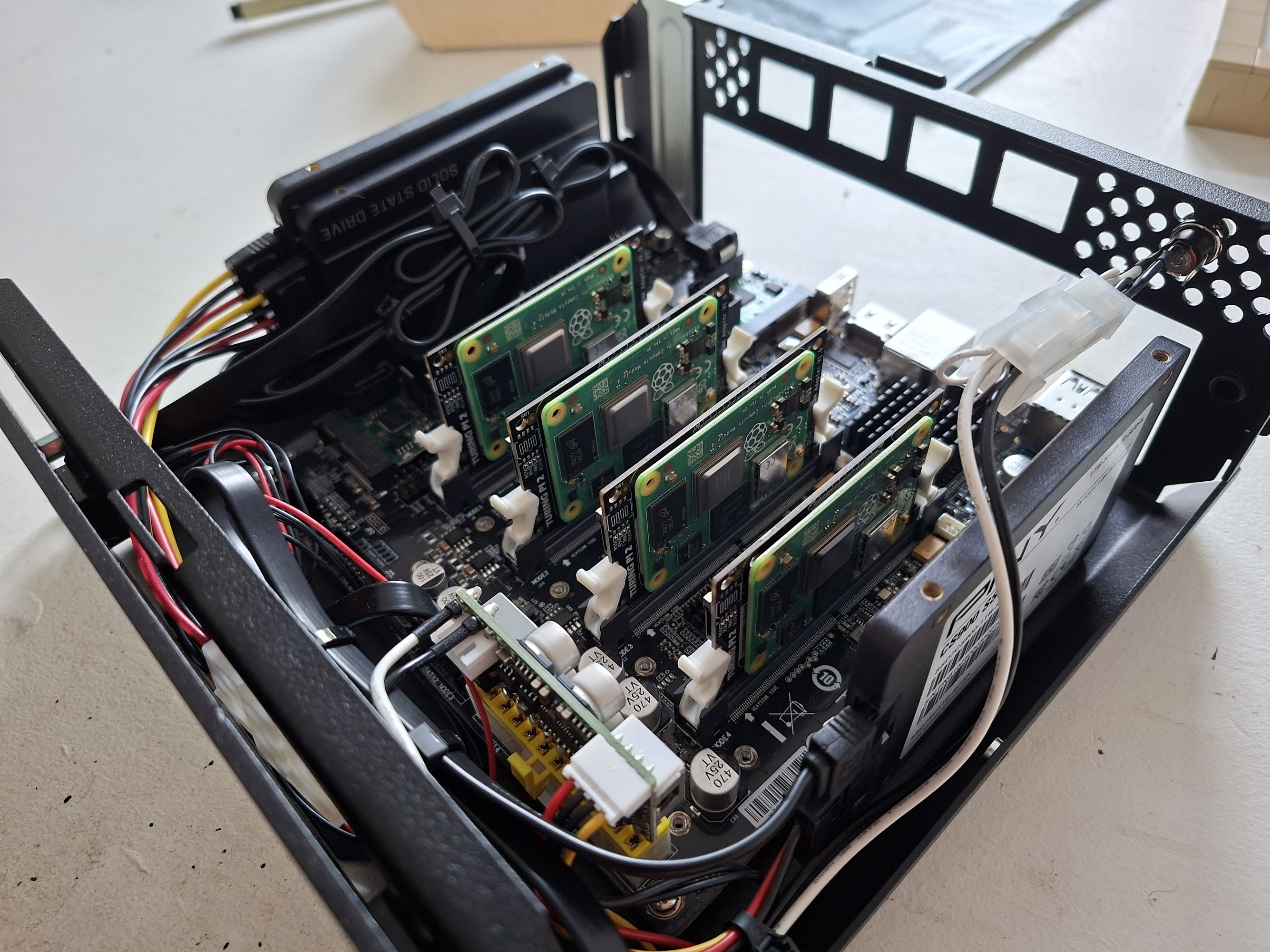
Turing Pi with 4 Raspberry Pi Compute modules
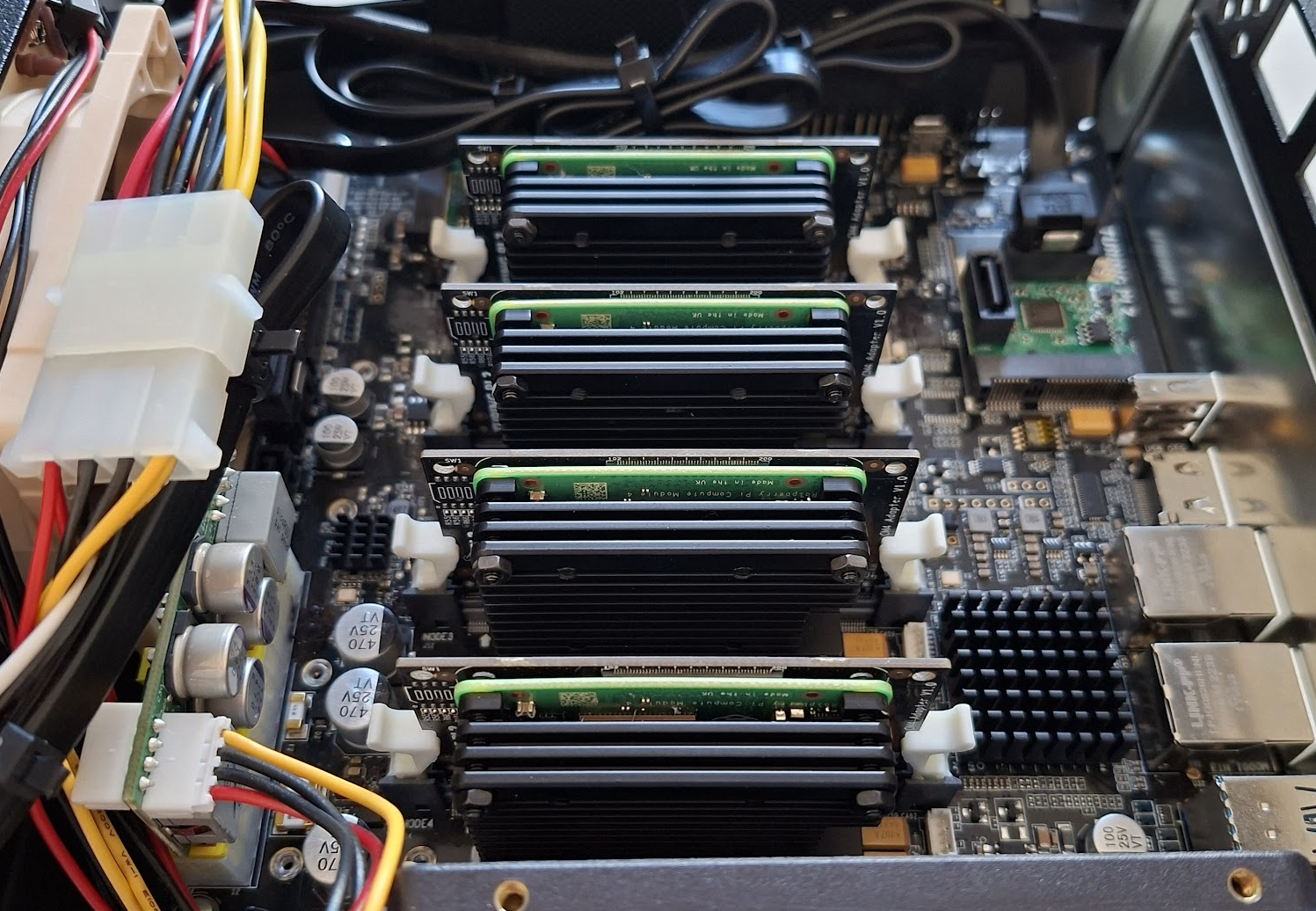
Fan and heatsinks applied
Software
Turing Pi comes with a CLI tool called tpi that lets you control everything remotely: Power management, image flashing and node control. It also comes with a web interface, but it’s too buggy for my taste, so I ignore it. With the CLI we have full power anyway.
Setting up authentication
Rather than passing credentials everytime on each tpi command, use environment variables. I’ve added this in my .zshrc for this project:
export TPI_HOSTNAME="192.168.1.xxx"
export TPI_USERNAME="root"
export TPI_PASSWORD="your-password"
Flashing script
This took me a few attempts to get it right. You can flash images directly from your laptop to each node, but logically it’s slow as each transfer takes forever. The better way is: download the image once to the Turing Pi’s local SD card, then flash it from there to each node.
For Talos Linux (my current Kubernetes OS of choice) this script handles everything:
# Url from https://docs.siderolabs.com/talos/v1.11/platform-specific-installations/single-board-computers/rpi_generic
IMAGE_URL="https://factory.talos.dev/image/ee21ef4a5ef808a9b7484cc0dda0f25075021691c8c09a276591eedb638ea1f9/v1.11.5/metal-arm64.raw.xz"
IMAGE_NAME_COMPRESSED=$(basename "$IMAGE_URL")   # metal-arm64.raw.xz
IMAGE_NAME="${IMAGE_NAME_COMPRESSED%.xz}"        # metal-arm64.raw
REMOTE_IMAGE_PATH="/mnt/sdcard/$IMAGE_NAME"

if ! ssh "${TPI_USERNAME}@${TPI_HOSTNAME}" "[ -f '${REMOTE_IMAGE_PATH}' ]" >/dev/null 2>&1; then
  ssh "${TPI_USERNAME}@${TPI_HOSTNAME}" bash -c "'
    set -e
    cd /mnt/sdcard
    curl -LO ${IMAGE_URL}
    echo \"Unpacking...\"
    xz -d ${IMAGE_NAME_COMPRESSED}
  '"
fi
The quirky part:
After flashing, nodes stay powered on but become unresponsive. tpi power -n 1 restart should work, but in my experience it’s unreliable and nodes became stuck. But turning it off and on again is reliable and makes the node boot properly.power cycle each node manually.
for NODE in {1..4}; do
  echo "Flashing node $NODE..."
  tpi flash -n "$NODE" --local --image-path "${REMOTE_IMAGE_PATH}"
  tpi power -n "$NODE" off    # Reset doesn't seem to work always, so turn it off and on instead
  tpi power -n "$NODE" on
done
Full script:
Each node takes about 7 minutes to flash, so a full four-node cluster rebuild is roughly 30 minutes. Not instant, but compared to manually flashing SD cards? I’ll take it.
#!/bin/bash
# Config. Url from https://docs.siderolabs.com/talos/v1.11/platform-specific-installations/single-board-computers/rpi_generic
IMAGE_URL="https://factory.talos.dev/image/ee21ef4a5ef808a9b7484cc0dda0f25075021691c8c09a276591eedb638ea1f9/v1.11.5/metal-arm64.raw.xz"
IMAGE_NAME_COMPRESSED=$(basename "$IMAGE_URL")   # metal-arm64.raw.xz
IMAGE_NAME="${IMAGE_NAME_COMPRESSED%.xz}"        # metal-arm64.raw
REMOTE_IMAGE_PATH="/mnt/sdcard/$IMAGE_NAME"


# Check if all required environment variables are set
if [[ -z "${TPI_HOSTNAME}" || -z "${TPI_USERNAME}" || -z "${TPI_PASSWORD}" ]]; then
  echo "Error: Set TPI_HOSTNAME, TPI_USERNAME, and TPI_PASSWORD"
  exit 1
fi

# Download and unpack image just once. We store it on the Pi Turing SD-card
if ! ssh "${TPI_USERNAME}@${TPI_HOSTNAME}" "[ -f '${REMOTE_IMAGE_PATH}' ]" >/dev/null 2>&1; then
  echo "Image does not exist. Downloading..."
  ssh "${TPI_USERNAME}@${TPI_HOSTNAME}" bash -c "'
    set -e
    cd /mnt/sdcard
    curl -LO ${IMAGE_URL}
    echo \"Unpacking...\"
    xz -d ${IMAGE_NAME_COMPRESSED}
  '" || {
    echo "Error downloading/unpacking image!"
    exit 1
  }
fi

# Flash and reboot nodes
for NODE in {1..4}; do
  echo "Flashing node $NODE..."
  if ! tpi flash -n "$NODE" --local --image-path "${REMOTE_IMAGE_PATH}"; then
    echo "Flashing of $NODE has failed!"
  fi

  # Reset doesn't seem to work always, so turn it off and on instead
  tpi power -n "$NODE" off
  tpi power -n "$NODE" on
done
What works well
Remote flashing is just great. Being able to rebuild an entire cluster from my laptop while sitting on the couch is exactly what I wanted. No more swapping SD-cards, no more forgetting which Pi got which image. It’s automated, repeatable, and fast enough not to be painful.
The physical build quality is solid. Nothing feels cheap. The compute modules slot in firmly, the board itself is well-designed, and I haven’t had any power delivery issues. It just works at the hardware level.
Power efficiency is impressive. 20W for a four-node cluster means I can run this 24/7 without guilt. Compare that to a mini PC or old server pulling 100W+ idle, and the Turing Pi suddenly looks very reasonable for always-on workloads.
The tactile feedback matters (to me, at least). Pressing the physical power button, seeing LEDs light up, knowing these are real computers doing real work; There is something satisfying about it that VMs don’t capture. Maybe that’s silly, but it’s why I built a homelab instead of just spinning up cloud instances.
What doesn’t work
The web interface is basically unusable. Features are broken (the power controls don’t work reliably), and it’s missing obvious things like TTY console access or network statistics. I expected to see MAC addresses, IP assignments, maybe some basic monitoring. Instead, you get… a power button that sometimes works? Just use the CLI and pretend the web UI doesn’t exist.
The BMC Software is limited. It does what it needs to. But the documentation is sparse, updates are infrequent, and I’m left wondering about security patches. When was the last CVE addressed? No idea. Is this the recurring theme with hardware startups? great hardware, underwhelming software support?
M.2 slots are useless for Raspberry Pis. I mentioned this earlier, but lets keep repeating it because it’s frustrating. The Turing Pi doesn’t fully support Pis when it comes to storage expansion. You need adapter cards and workarounds. If you’re building a Pi cluster, plan accordingly or prepare to be disappointed.
Serial flashing only. You can’t flash all four nodes in parallel. Each one takes 7 minutes, so you’re stuck waiting. This single limitation adds 21 minutes to every full cluster rebuild. For a €200+ BMC, this feels like a missing feature.
It’s expensive. The Turing Pi board alone is around €200. Add four Compute Modules (~€50-70 each), heatsinks, storage, case, PSU… you’re easily at €500-600 before you’ve got anything useful. For that money, you could buy a used enterprise server with way more compute power.
Is it worth it?
Depends entirely on your goals and budget.
Buy it if:
- You’re already committed to running bare-metal Raspberry Pis
- You value the convenience of remote management and clean cabling
- You have €600-700 to spend on what is, let’s be honest, a hobby project
- The 25W power draw matters for your 24/7 use case
- You like blinky lights and physical hardware
Skip it if:
- You’re just getting started with homelabs – buy a single beefy server with Proxmox instead
- You need M.2 storage expansion (seriously, it won’t work)
- You want mature, well-supported software
- You need to flash multiple nodes simultaneously
- Budget is a primary concern
For me, it was worth it. I’m constantly experimenting with Talos configurations, trying different Kubernetes setups, and the ability to automate full cluster rebuilds from a script is valuable. But I went in with realistic expectations, and I’m comfortable with janky software. If you’re expecting plug-and-play perfection, you’ll be disappointed.
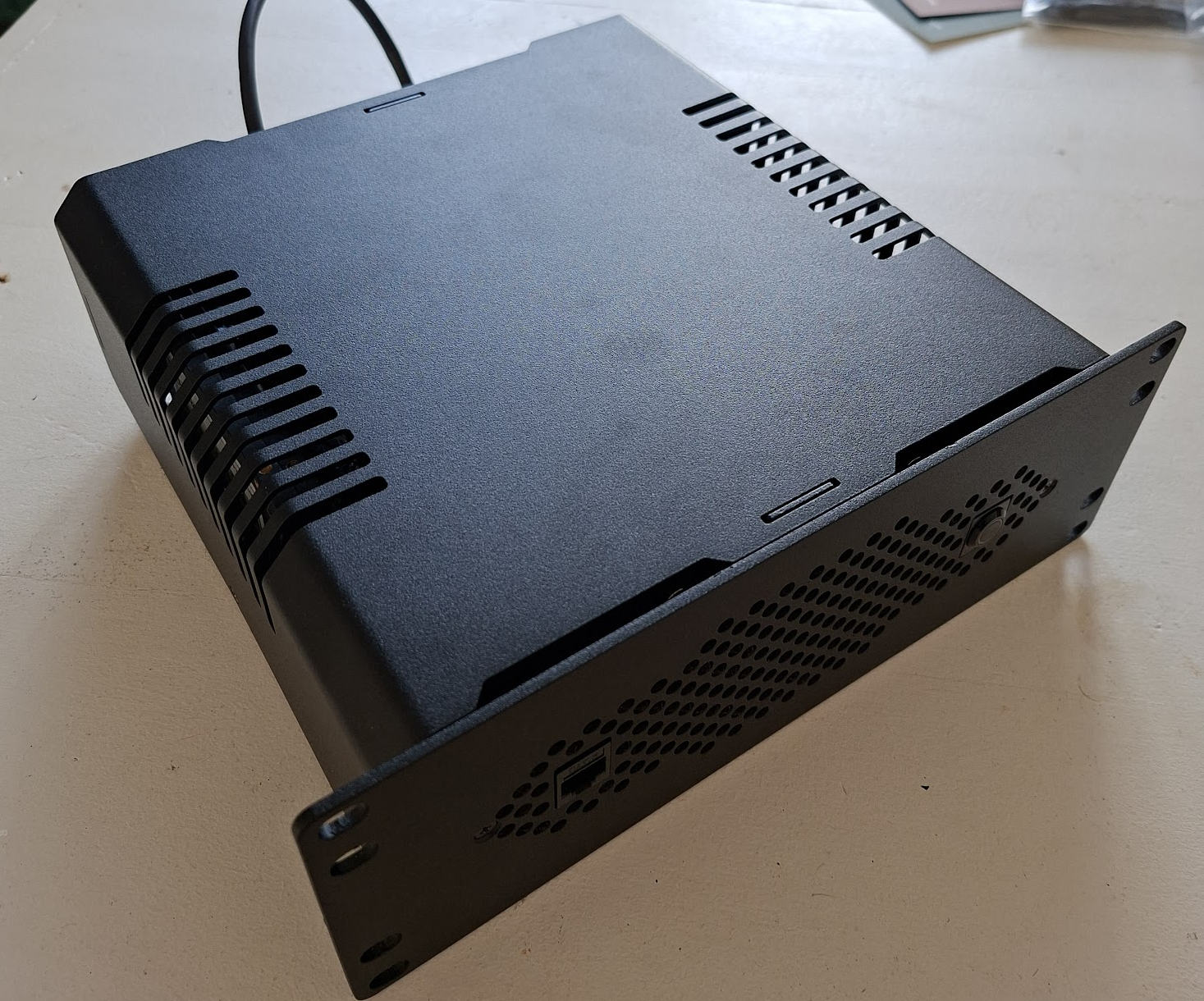
Turing Pi in a ITX case
Conclusion
On good days, when I’m rapidly iterating on cluster configs and everything just works, I love it. The cable mess is gone, flashing is automated, and I can focus on learning Kubernetes instead of managing hardware. These are the days I feel justified in the expense.
My plan moving forward: I’m keeping the Turing Pi with its four Compute Modules as my Kubernetes control plane and one worker node. For additional capacity, I’ll add regular Raspberry Pi 5s with SD-cards. This gives me the best of both worlds – rapid testing on the Turing Pi, then manual deployment to the cheaper nodes once I’ve validated the config. The real lesson here isn’t about the Turing Pi specifically. It’s that hardware from small companies often means excellent industrial design paired with immature software. The BMC itself is well-built; the tooling around it needs another year of development. Would I buy it again? Yes, but with managed expectations. Would I recommend it to others? Only if you fit the specific use case above and understand you’re paying a premium for convenience that’s still a bit rough around the edges.
Next steps
The next article will be about setting up a Kubernetes cluster with Terraform and bootstrapping ArgoCD for further automation. Hope to see you there soon!